Hermes Agent: Zero to Personal AI Assistant
Built from Hermes Agent: Zero to Personal AI Assistant (1 Hour Course) by Nate Herk | AI Automation. This page turns the course into searchable workflow cards with practical setup steps, dependencies, current cost notes, and timestamped video references.
The course positions Hermes as an open-source, self-improving assistant that runs on your own infrastructure, uses tools, keeps memory, writes reusable skills, and runs scheduled automations.
Step-by-Step
- Start with the mental model: Hermes is an always-on agent, not a one-off chat window.
- Review the landing page and docs so you understand skills, memory, messaging platforms, and crons before installing.
- Decide where the assistant should live: local laptop, Mac mini, VPS, Docker container, or Android/Termux.
- Write down the first few jobs you want the assistant to perform so setup choices are driven by real workflows.
Dependencies
- Hermes Agent docs
- A machine or VPS target
- Basic terminal comfort
Costs / Billing Watchlist
- No cost to learn from the docs or video.
- Infrastructure and model costs begin when you run Hermes continuously.
The tutorial compares Hermes to coding agents and browser-style agents. The practical rule is to use Hermes when you want persistent memory, scheduled jobs, messaging access, and long-running assistant behavior.
Step-by-Step
- Use Claude Code/Codex-style tools for focused coding sessions inside a repo.
- Use Hermes when the job needs to keep running, remember context, message you first, or use multiple tools over time.
- Use OpenClaw/browser agents when direct GUI operation is the primary requirement.
- Keep the first Hermes setup personal and narrow until you have proven one or two workflows.
Dependencies
- Clear target workflow
- Preferred coding/browser tools if comparing options
Costs / Billing Watchlist
- No direct cost for the decision step.
- Paid costs depend on which agent/model/provider you choose later.
The course explains the operating model that makes Hermes useful: it remembers, turns repeated solutions into skills, runs scheduled automations, talks through messaging platforms, and acts with a degree of autonomy.
Step-by-Step
- Create a short notes file with the five pillars and examples you care about.
- For every desired workflow, mark which pillar matters most: memory, skill, cron, messaging, or autonomous action.
- Avoid adding everything at once; verify base chat before gateway, then skills, then crons.
- Plan observability: logs, notifications, and a weekly review of agent outputs and spend.
Dependencies
- Hermes base setup
- A workflow inventory
Costs / Billing Watchlist
- No direct cost for planning.
- Autonomous usage can amplify model/API spend if crons or loops are not bounded.
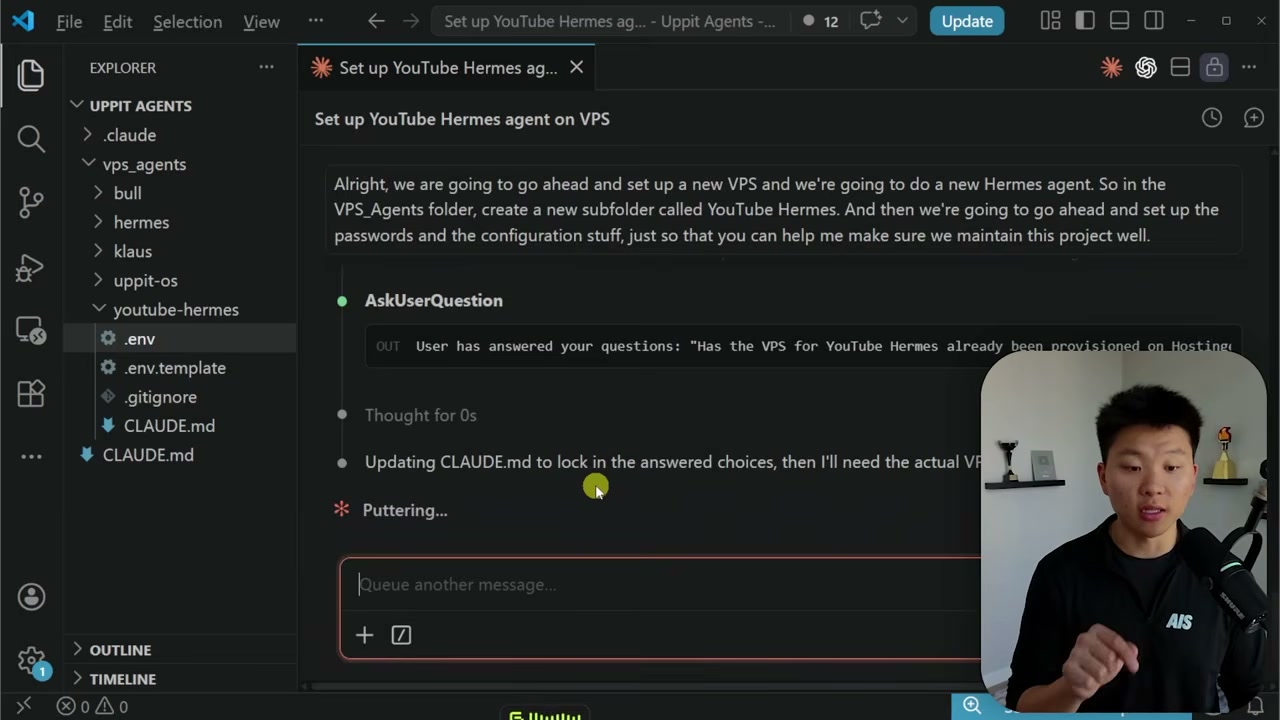
The tutorial uses a Hostinger VPS so Hermes can run continuously away from a personal laptop. This creates a persistent assistant server but introduces hosting, security, and maintenance responsibilities.
Step-by-Step
- Choose a VPS plan with enough RAM/CPU for Docker, Hermes, gateway processes, and your expected workload.
- Create the VPS, choose a Linux image, and store root/login credentials securely.
- SSH into the VPS and update packages before installing anything.
- Install Docker or use the one-click installer path shown in the video.
- Confirm you can reconnect after reboot and know where the Hermes files and Docker containers live.
Dependencies
- Paid VPS account such as Hostinger
- SSH client
- Linux server access
- Docker or one-click Hermes setup
Costs / Billing Watchlist
- VPS hosting is recurring and paid after any trial/discount period.
- Annual plan discounts may reduce the first term but renewals can differ.
- More agents, containers, storage, and uptime expectations may require a larger VPS.
The key implementation rule echoed by the official docs is to get a normal Hermes conversation working before layering on messaging, cron, skills, voice, or routing.
Step-by-Step
- Install Hermes through the course path or official install command.
- Run the initial setup/model selection flow.
- Choose an LLM provider and confirm Hermes starts without model or authentication errors.
- Ask a simple prompt that can be verified, such as summarizing the current directory or checking disk usage.
- Run the resume/continue flow so you know sessions persist.
Dependencies
- Hermes installer
- Python/pip or git installer path
- LLM provider credentials or OAuth
- Model with at least 64K context
Costs / Billing Watchlist
- Hermes itself is open source.
- Hosted models are usually metered, subscription-based, or credit-based.
- Local models avoid API billing but require sufficient hardware and electricity.
Hermes depends on a capable model. The course touches API keys and the official docs list supported providers such as Nous Portal, OpenAI/Codex, Anthropic, OpenRouter, Kimi, Qwen, Bedrock, GitHub Copilot, and custom endpoints.
Step-by-Step
- Pick one provider first; do not configure fallback/routing until the base provider is stable.
- Use Hermes model/setup commands rather than manually editing secrets when possible.
- Keep secrets in environment files, not in Git.
- Set provider-side budget caps, alerts, or prepaid credits before enabling crons.
- Test a short chat, a tool-using chat, and a multi-turn chat before moving on.
Dependencies
- Provider account or local model endpoint
- API key/OAuth token
- 64K+ context model
- Budget/usage dashboard
Costs / Billing Watchlist
- OpenRouter bills input/output tokens per model and pay-as-you-go credits are consumed as used.
- Anthropic/OpenAI/Gemini/GitHub Copilot or other providers may require subscriptions, paid credits, or metered API billing.
- Failed loops and scheduled jobs can create surprise spend if not capped.
The tutorial’s main interface is Telegram. Hermes can receive text, voice, and files there and send results from scheduled work back to your phone.
Step-by-Step
- Create a Telegram bot with BotFather and save the token privately.
- Run the Hermes gateway setup or equivalent configuration flow.
- Add your Telegram user ID or allowlist so random users cannot control the bot.
- Start the gateway and send a basic message from Telegram.
- Test a voice note, a file/image attachment, and a follow-up instruction if those are part of your workflow.
Dependencies
- Telegram account
- BotFather bot token
- Hermes gateway
- Reachable VPS/container
- User allowlist
Costs / Billing Watchlist
- Telegram bot creation is free.
- The VPS and LLM calls behind each message may be paid.
- Voice transcription/TTS may be free/local or paid depending on provider.
After connection, the course shows conversational onboarding: tell Hermes who you are, what you want, where it is running, and how it should behave.
Step-by-Step
- Tell Hermes its role, audience, and first responsibility.
- Give it the server/container context it needs, but avoid dumping unnecessary secrets.
- Ask it to restate what it understands and identify missing details.
- Have it save durable preferences to memory or a skill only after you verify the behavior.
- Keep a simple onboarding note that can be reused if you rebuild the agent.
Dependencies
- Working Hermes chat
- Telegram or CLI access
- Your workflow context
- Memory/skills enabled
Costs / Billing Watchlist
- Mostly model-token cost.
- Long onboarding prompts and repeated retries increase inference spend.
The course backs up the setup to GitHub so configuration and skills can be recovered or moved, while warning that secrets should stay out of the repository.
Step-by-Step
- Create a private GitHub repo for non-secret Hermes configuration, notes, and reusable skills.
- Initialize Git from the appropriate Hermes/project folder, not from system-wide secret directories.
- Add a .gitignore that excludes .env, tokens, logs with secrets, and downloaded private files.
- Commit initial docs, skills, and setup notes.
- Push and confirm the repo does not contain API keys or bot tokens.
Dependencies
- Git installed on VPS/container
- GitHub account
- Private repository
- SSH key or GitHub token
Costs / Billing Watchlist
- GitHub Free supports private repos for basic use.
- GitHub Actions, Codespaces, large storage, advanced security, or team/enterprise features may add cost.
The tutorial demonstrates crons as scheduled automations, with examples like daily AI news briefings, YouTube comment monitoring, community engagement, morning summaries, server checks, research reports, and reminders.
Step-by-Step
- Pick one low-risk recurring job with a clear success condition.
- Define the schedule, input source, output format, and delivery channel.
- Give Hermes all required read-only credentials first.
- Run the job manually once and inspect the result.
- Only after manual success, schedule it and send output to Telegram or another channel.
- Review the first week of outputs, errors, and model/API spend.
Dependencies
- Stable Hermes gateway or CLI
- Cron/scheduler support
- Data source credentials
- Delivery channel such as Telegram
- Model budget controls
Costs / Billing Watchlist
- Every scheduled run can consume model/API credits.
- External APIs for news, YouTube, analytics, or search may have paid tiers or quotas.
- Always-on server time is paid if hosted on a VPS.
Early in the video, the creator describes an agent that can access transcript/context and respond to YouTube comments.
Step-by-Step
- Connect a YouTube/Google account through an approved API path.
- Give Hermes your channel context, tone, and response rules.
- Start read-only: summarize new comments and draft replies instead of posting directly.
- Review drafts and refine the policy for spam, negative comments, support issues, and escalation.
- Only enable auto-posting after a controlled test window.
Dependencies
- YouTube/Google API access
- Channel context/transcripts
- Hermes cron
- Approval workflow
Costs / Billing Watchlist
- Google/YouTube API quotas may apply.
- Model calls for reading, drafting, and posting can be metered.
- Human review time remains a cost if you keep approval in the loop.
The tutorial lists daily AI news briefings, morning summaries, server checks, research reports, and follow-up reminders as live examples of Hermes crons.
Step-by-Step
- Define the briefing audience and exact output format.
- List approved sources and search tools; avoid letting the agent browse everything by default.
- Set schedule and delivery target.
- Run a manual sample and check source quality, freshness, and hallucination risk.
- Schedule with budget caps and keep a weekly review of useful vs noisy items.
Dependencies
- Web/search access or source APIs
- Telegram/community delivery channel
- Cron
- Citation/source policy
Costs / Billing Watchlist
- Search APIs, data APIs, or browser automation may be metered.
- Model usage recurs on every scheduled briefing.
- Community platforms or paid knowledge sources may add subscription cost.
The creator shows Hermes being asked to make a video, then researching and installing HyperFrames after the first attempt missed the requested tool.
Step-by-Step
- Give Hermes the video goal, duration, audience, pacing, and visual constraints.
- Ask it to identify the required toolchain before generating.
- Approve installs explicitly; do not allow arbitrary package/tool installation without review.
- Generate a first pass and have Hermes inspect the result visually.
- Ask for targeted corrections such as spacing, layout bounds, narration, or tool choice.
Dependencies
- Video generation/editing tool such as HyperFrames
- Package installation permission
- Vision/review capability
- Storage for outputs
Costs / Billing Watchlist
- Media generation, TTS/STT, and rendering tools may be paid or compute-heavy.
- Repeated iterations can increase model, render, and storage cost.
The course stresses that each agent/container should have only the secrets, tools, memory, and permissions needed for its job.
Step-by-Step
- Keep .env files and tokens out of GitHub.
- Use separate API keys for different agents/environments when possible.
- Start with read-only permissions, then add write actions deliberately.
- Document what each cron can read, write, and message.
- Rotate secrets if a token is exposed or if an agent is retired.
Dependencies
- Secret storage discipline
- Git ignore rules
- Provider dashboards
- Separate keys/tokens per workflow
Costs / Billing Watchlist
- Security controls may be free, but mistakes can be expensive: leaked keys, unauthorized API usage, or accidental writes.
- Enterprise-grade SSO/audit/security products are usually paid.
The tutorial recommends starting with one main assistant, then splitting into dedicated containers/agents when permissions, memory, schedules, audiences, or tools diverge.
Step-by-Step
- Keep one main personal Hermes until you have repeatable workflows.
- Create a new agent when a role needs separate secrets, long-term memory, tools, schedule, or audience.
- Put each specialized agent in its own container/profile where possible.
- Migrate only the relevant skills/crons from the main agent.
- Track cost per agent so one noisy workflow does not hide inside a shared bill.
Dependencies
- Docker/container setup
- Separate Hermes profiles or containers
- Per-agent secrets
- Monitoring/logging
Costs / Billing Watchlist
- More agents can mean more VPS resources, more model calls, and more API keys.
- Separate containers improve isolation but may require a larger server plan.
16Use the Hermes dashboard for sessions, platforms, crons, configs, skills, and tasksLink
Video chapter
Video chapter
The dashboard is presented as useful but not mandatory. It may require opening the gateway/tunnel correctly, especially on a VPS/container setup.
Step-by-Step
- First ask Hermes to explain your current container/VPS topology.
- Open or tunnel the gateway/dashboard only as needed.
- Use the dashboard to inspect sessions, connected platforms, keys/configs, skills/plugins, crons, and task boards.
- If setup is annoying, ask Hermes to save the exact dashboard startup steps as a reusable skill.
- Close tunnels or exposed ports when you are done if they are not meant to stay public.
Dependencies
- Hermes dashboard/gateway
- VPS/container networking
- Tunnel or local access path
- Authentication/port controls
Costs / Billing Watchlist
- Dashboard itself is part of Hermes.
- Tunnel, reverse proxy, domain, or managed networking tools may add cost.
- Exposed admin surfaces carry security risk if misconfigured.
Sources
- YouTube course
- Hermes Quickstart
- Hermes Telegram setup
- Hostinger VPS pricing
- GitHub pricing
- OpenRouter pricing
Notes: native YouTube captions were used; no Whisper/Groq/OpenAI transcription API was used. Frames were extracted locally from the downloaded video for visual navigation.